
Keeping Your Website
ADA Accessible

How to Keep Your Website in Compliance
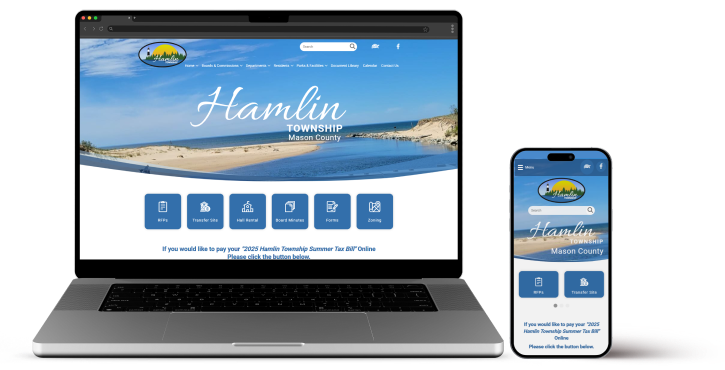
Civic Clarity will review all client websites before the DOJ 28 CFR Part 35 takes effect for their municipality. As you edit your website after our review there are a few instances where you can inadvertently cause an ADA accessibility error. The most common mistakes are color contrast and buttons.
WAVE
WAVE is a service that helps a website viewer assess WCAG errors. We suggest that you add the WAVE extension to your favorite browser to check your colors and heading order after content creation.

Color Contrast Errors
Website content needs to use colors that have appropriate contrast between the text and background. Most text needs 4.5:1 contrast, with larger text getting away with 3:1 ratios. We suggest you always aim for 4.5:1 to be safe.
You can use WAVE's Contrast button within the extension to help you find proper color contrast.
Structure
Heading tag structure is important to screen readers. Headings need to be displayed in the correct order — H1, then H2, then H3 — and never skip levels (like going from H1 straight to H3). Screen readers for blind or visually impaired users rely on this logical structure like an outline. When levels are skipped, it’s like jumping from a chapter title straight to a sub-sub-point without the main section — it confuses the user and makes the page much harder to navigate and understand.
There are times you may want your font size different that the correct H tag indicates. It is fine to edit the heading module and change the font size to fit your website page design requirements. As long as the tag is in the correct order the screen readers will be able to give its users correct information.


Button Text
Do not use "Click Here" text anymore. All buttons, and links, need to use descriptive words so that a screen reader can communicate what the purpose of the button/link is to someone with vision issues.
Possible "Click Here" replacement text includes:
Apply for a Building Permit
Pay Your Property Taxes Online
Submit Water/Sewer Application
Documents Need Special Attention
Documents are being uploaded all the time. The documents you present on your website must be considered ADA compliant. Compliance becomes a mandatory ruling for municipalities over 50k in population on 4/24/2026. All other municipalities are mandatory as of 4/26/2027.
This means that screen readers need to read your documents. Specifically, you need to make sure:
The title field is filled out.
The content of the document is properly tagged.
Tags added as needed.
Pictures have their alternate text fields filled out or they are noted as decorative.
The document's primary language is identified.
A document's lists and tables are formatted in an accessible format. (Note - this is the most complex requirement.)
Resources to Review
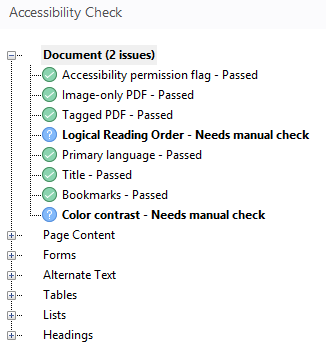
If you have paid for pdf editor software, the accessibility process is easier. But the editor software licenses can be expensive. If you don't have pdf editor software we have instructions that should help make your simple Word documents pass the accessibility check when you've saved them as pdfs.
IMPORTANT
The above document link instructions will probably not help if you have tables in your documents. Whenever possible do not use tables, or follow the Word guidelines outlined in:
Be careful of depending on the Microsoft Accessibility tool in Word. It is very basic and misses tabbing and other necessary criteria.


Two Points on Forms
Consider Online Forms to Replace PDF Applications
Using an online form builder with a solid ADA accessibility reputation can ultimately save you significant time and money. Even if you hire a third party to create the form, it is often less costly than the time and effort required to learn and perform PDF remediation.
Check for Newest Versions of County/State/Federal PDF Forms
These municipalities need to be complaint in 4/2026. Chances are that PDF forms generated by them have been updated and compliant. Check your forms and update the newest versions published recently.
3rd Party Providers Displaying Your Documents Need To Be Compliant
Being technical here: Subpart H, § 35.200(a)(1) states: “A public entity shall ensure that the following are readily accessible to and usable by individuals with disabilities: (1) Web content that a public entity provides or makes available, directly or through contractual, licensing, or other arrangements.”
We believe this means municipalities remain responsible for document accessibility for all documents, even those created through third parties, such as contractors hired on your behalf; and even if the documents reside on the third party contractor's website.
In Title 28 / Chapter l / Part 35 / Appendix D to Part 35 Code of Federal Regulation, under Content Posted by a Third Party section, is the statement: To the extent a public entity chooses to rely on third-party content on its website in these ways, it must select third-party content that meets the requirements of § 35.200. This is because a public entity may not delegate away its obligations under the ADA.[^134] If a public entity relies on a contractor or another third party to post content on the public entity’s behalf, the public entity retains responsibility for ensuring the accessibility of that content. To provide another example, if a public housing authority relies on a third-party contractor to collect online applications on the third-party contractor’s website for placement on a waitlist for housing, the public housing authority must ensure that this content is accessible."
How Civic Clarity Handles ADA
Accessibility Requirements

First, Website ADA Accessibility Defined
The Department of Justice (DOJ) created the “ADA Standards for Accessible Design,” in 2010. Website ADA compliance was born from the World Wide Web Consortium (W3C), who oversees the Web Content Accessibility Guidelines (WCAG). The guidelines are broken down into three levels: A, AA, AAA.
The top level, WCAG AAA ,equates to 100% compliance to Section 508 regulations within the United States Workforce Rehabilitation Act of 1973. The DOJ has acknowledged that it is not practical for a website to adhere to AAA because it greatly impacts a website’s performance, design and presentation. Therefore, your website is held to WCAG 2.1 AA level compliance.
System Embedded ADA Accessibility Features
Image Alt Tags
Civic Clarity has implemented AI for image alt tags so that any image you upload will pass this important requirement.
Require 3rd Party Audio/Visual Content Providers
Captions and transcripts are required for audio and video content. Third party providers such as YouTube or Vimeo provide these important visual details as part of their service. The vendors also allow a user to pause content that is set up to auto play.
Tip: Add the bolded code to your YouTube embed to encourage it to offer closed captions on your website page. src="https://www.youtube.com/embed/xxx?rel=0&cc_load_policy=1"
If you used our video module you would have to create your own captions and transcripts for each piece of content.
Form Field Titles
Another important standard is online form fields. We do not use placeholder text, even when it looks better, and instead force the website design to use field titles specifically because the form will fail an accessibility check without a proper field title.
Published Accessibility Policy
Each of our municipal websites has a link to an ADA Accessibility page that explains the client's policy and has an online form to be used to report accessibility concerns.
Link Order on a Website Page
Our websites are designed for link order to be correct. If you believe there is an error it might be best to contact us and list the page of concern in your email. We will review it manually for you.
What We Manually Check
Following industry standards, Civic Clarity websites are reviewed against WCAG 2.1AA guideline errors and every attempt is made to meet its requirements. We review and adjust:
WAVE errors
Keyboard navigation
The the URL address of your website, use your Tab key to tab through the website. It will tabbing through every link on the page. You want it to tab in a logical order.
- Tab: Navigate interactive elements (links, form controls)
- Shift + Tab: Navigate backwards.
- Enter: Activate links or buttons, submit most forms.
- Spacebar: Activate checkboxes and buttons, expand a select menu, or scroll the window.
- Arrow keys: Navigate radio buttons, select/dropdown menus, sliders, tab panels, tree menus, etc.
Heading order
Screen magnification experience
Increase a 1280px size screen size 400% without lost of content view.
Color contrast standards
Aim for 4.5:1, but text larger than 18ps (or bold at 14px) can be 3:1.

If there is something about your design that might be a potential accessibility flag we will let you know so that you have all the information you need to make an informed decision.